

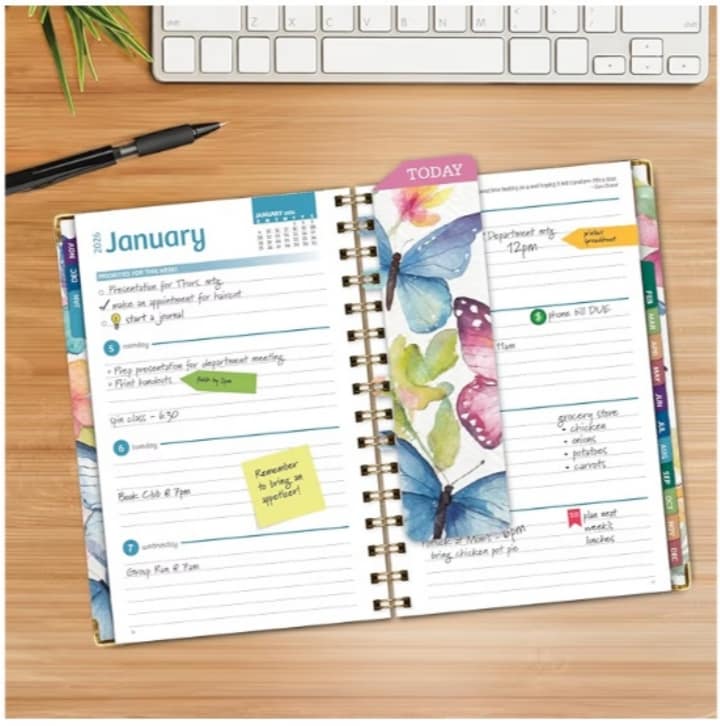
Creating a planner like the one shown requires strong research and planning tools before any design work begins. The first essential tool is market research using Amazon itself. By searching for top-selling planners, checking categories, reading customer reviews, and analyzing ratings, you can understand what buyers love and what they feel is missing. Tools such as Amazon Best Sellers lists and keyword research platforms like Publisher Rocket or similar alternatives help identify high-demand keywords, sizes, formats, and styles. A clear content plan is also crucial. Tools like Google Docs or Notion help you structure your planner pages, define sections such as daily, weekly, monthly layouts, notes pages, and extras like bookmarks or pockets. Planning the book flow in advance avoids costly revisions later and ensures your planner matches customer expectations and Amazon KDP requirements.
Design and Layout Tools to Create a Professional Planner
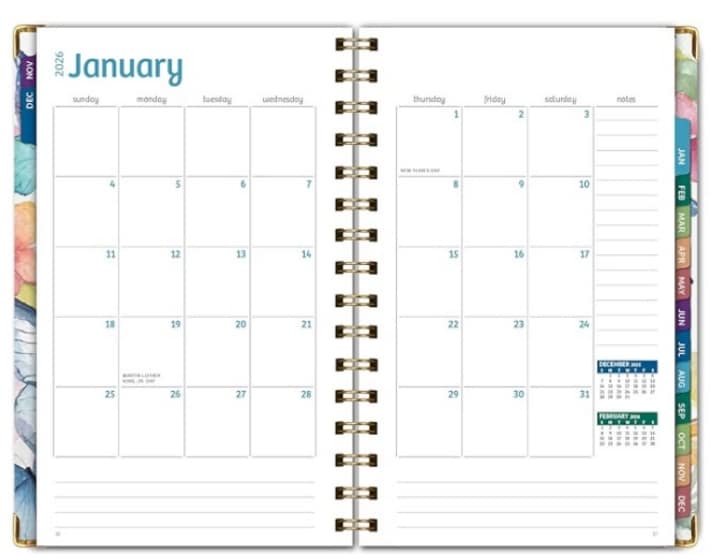
Design is what makes a planner attractive and usable. Canva is one of the most popular tools for beginners because it offers ready-made templates, print-friendly dimensions, and easy customization. For more advanced creators, Adobe InDesign and Adobe Illustrator provide professional control over margins, bleed, typography, and color profiles required for printing. These tools allow you to design clean interiors and eye-catching covers. Choosing the correct size, such as 5.5 x 8 inches, must be done early to match KDP specifications. Font selection tools and color palette generators also help maintain visual consistency. Additionally, tools like Affinity Publisher offer a one-time purchase alternative to Adobe subscriptions. Exporting your files in high-quality PDF format with correct bleed and margins is essential for smooth approval during the Amazon publishing process.
Content Creation and Optimization Tools for Amazon KDP
Beyond design, content quality and optimization are key to selling on Amazon. Writing tools such as Grammarly help ensure your text is clear, professional, and error-free. Even planners benefit from clean language in headings, instructions, and section titles. For keyword optimization, tools like Helium 10 or similar keyword analyzers help you select effective titles, subtitles, and descriptions that improve visibility in Amazon search results. A well-written book description formatted with HTML enhances readability and conversion rates. Image editing tools like Photoshop or Canva are useful for creating listing images, including cover mockups and interior previews. These visuals strongly influence buying decisions. Combining optimized keywords, polished content, and professional images increases your chances of ranking higher and attracting the right audience.
Publishing and Marketing Tools to Sell Successfully on Amazon
Once your planner is ready, Amazon KDP becomes the main publishing tool. It allows you to upload your interior and cover files, choose paper type, pricing, and distribution options. KDP’s previewer tool helps you detect layout issues before publishing. After launch, marketing tools become essential. Amazon Ads is a powerful way to promote your planner to targeted buyers using sponsored listings. Social media scheduling tools and email marketing platforms help you promote your book outside Amazon. Tracking performance using KDP reports allows you to adjust pricing and advertising strategies. For long-term success, tools for brand building such as a simple website or landing page can support repeat sales. Using the right tools at every stage transforms a simple planner idea into a profitable Amazon product.